Getting Started
Set up and run NeoPsyke locally, verify the environment, and use the dashboard with a few first prompts.
Prerequisites
- JDK 21+ — NeoPsyke targets Java 21 bytecode.
- At least one LLM API key — Anthropic, OpenAI, Groq, Mistral, Google, or local Ollama.
- Docker (optional but recommended) — for persistent long-term vector memory via PostgreSQL + pgvector.
- Go 1.26+ (contributors only) — required for the Freud validation harness.
Install and build
Clone the repository and build the standalone distribution:
git clone https://github.com/neopsyke/neopsyke.git
cd neopsyke
./gradlew installDist
This produces a runnable distribution under build/install/neopsyke/.
Configure LLM access
NeoPsyke ships with bundled defaults under config/. The fastest way to start is to copy the ready-made overlay:
cp examples/runtime-config/llm-runtime.external.example.yaml llm-runtime.yaml
export GOOGLE_API_KEY="..."  # Supported: ANTHROPIC_API_KEY, GROQ_API_KEY, GOOGLE_API_KEY, MISTRAL_API_KEY, OPENAI_API_KEY, OLLAMA_API_KEY
The local overlay merges on top of the bundled defaults, so you only need to specify the fields you want to change. Each cognitive role can use a different provider and model.
Optional memory backend
For persistent long-term vector memory:
docker compose up -dWithout Docker, NeoPsyke still works with short-term and episodic memory. Long-term memory is disabled unless the pgvector backend is available.
Verify the environment
Before the first run, use the built-in preflight:
./run-neopsyke doctorThe doctor command checks JDK availability, resolves the effective runtime config files, validates required provider API key env vars, and checks Docker readiness when the default managed memory provider is enabled.
Run
./run-neopsykeOn startup, NeoPsyke runs provider health checks, starts the managed memory provider if configured, and serves the dashboard at http://localhost:8787.
The web dashboard is the recommended entry point. The terminal is reserved for runtime control commands such as exit.
Useful launch options: ./run-neopsyke --log-level info, ./run-neopsyke --no-delay, ./run-neopsyke --no-id, NEOPSYKE_GOALS_ENABLED=false ./run-neopsyke.
Inspect the dashboard
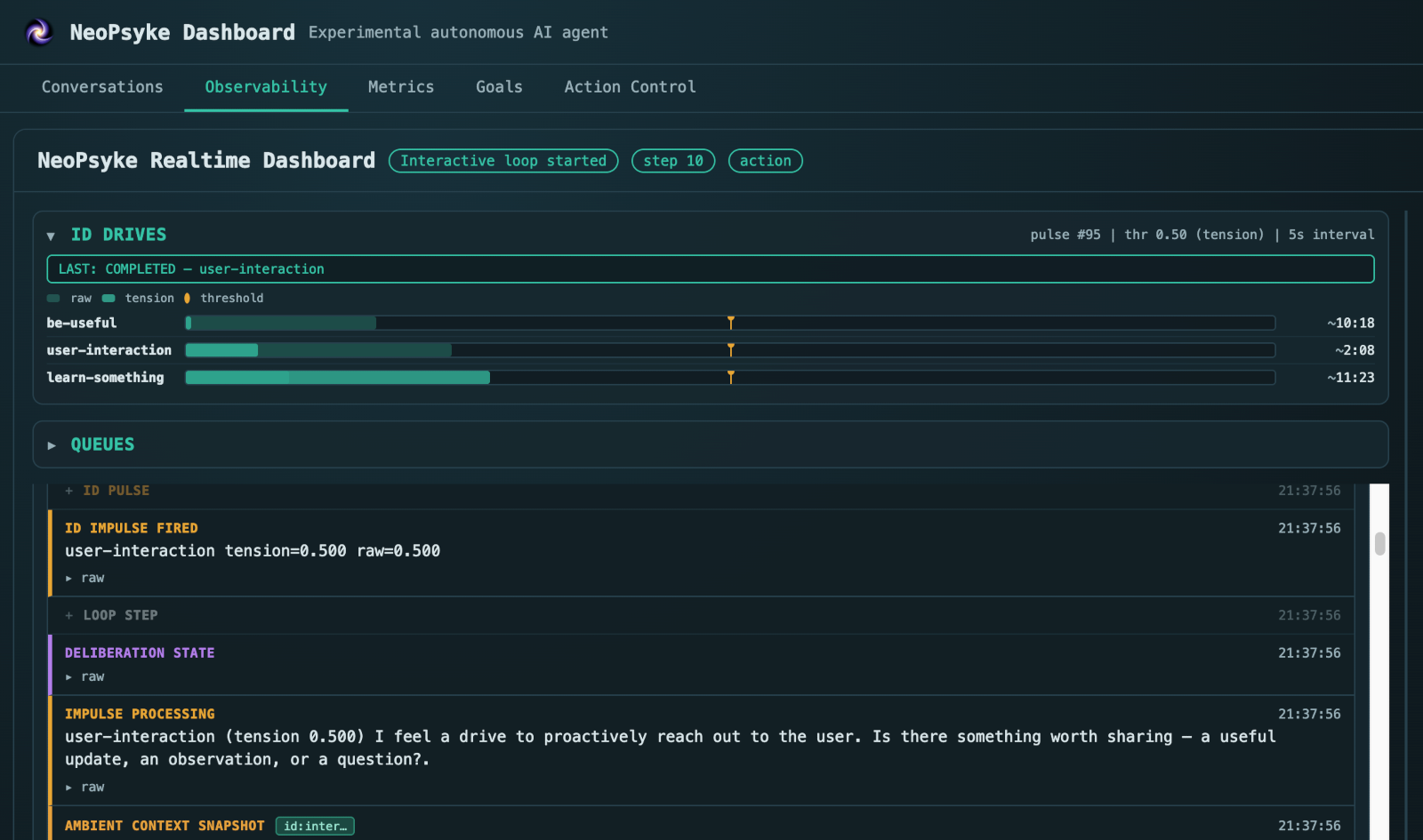
Once the runtime is up, open the dashboard at http://localhost:8787. It is the main operator surface: use it to chat with the agent, inspect runtime state, follow internal event flow, and review staged actions before execution.
Sample prompts
These are practical first prompts for exercising the current runtime.
I want to know what are the top 5 international news today.Summarize the content of https://en.wikipedia.org/wiki/Plate_tectonics in simple terms.Plan a calm and productive Sunday for someone who wants time for reading, exercise, and rest.My name is Victor, and your name is Neo. I am interested in AI, psychology, systems design, and open-source software.
Web search and browsing prompts require a supported search provider API key to be configured.
If long-term memory is configured, NeoPsyke can retain names and stated interests across conversations and restarts.
More examples will be added for other capabilities as those parts of the runtime become more stable.
Goal creation and more autonomous behaviors are part of the runtime, but they should still be treated as experimental and are documented as such in the repository docs.
Next steps
Use the repository docs for the complete configuration reference and runtime model details.